

Work with MS Word files of any size and transform them into PDF documents in the suite with a set of tools for editing the output contents and adding security restrictions. PDF to Word conversion is also possible while maintaining the original structure of the text.
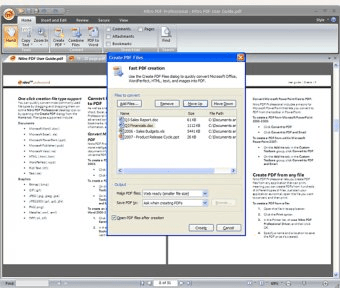
Nitro PDF Professional is a Windows application used to create, edit, secure and review PDF files. The program is also capable of converting documents from PDF to MS Word or vice versa. It has a start-up wizard that gives a possibility to go through different tasks that Nitro offers.Nitro PDF Professional is a Windows application used to create, edit, secure and review PDF files. The program is also capable of converting documents from PDF to MS Word or vice versa. It has a start-up wizard that gives a possibility to go through different tasks that Nitro offers.
Nitro PDF professional is an alternative to Acrobat Reader. This program can make PDFs, batch convert to RTF/Word, edit previously created PDFs, join different PDF files into one, secure digitally new creations, and make fill-in forms.
When converting to MS Word it respects the images, tables, forms and formats. It also has advanced options to change paragraphs into tables, justify irregular texts, keep highlighted marks, and more.
In this version you will find a redesigned interface; it was changed to be like MS Office 2007 applications, where most of the options and functions are preserved. Additionally, batch conversion to Word was added, plus a new PDF to Excel conversion feature has been integrated. more






Comments (6)